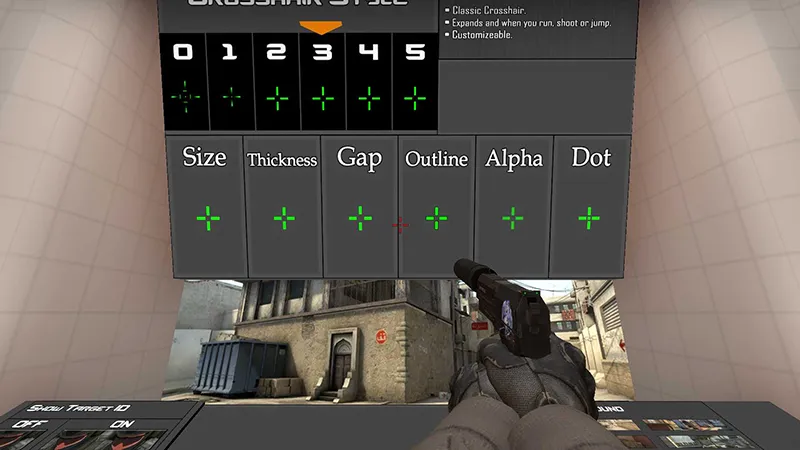
For any CS2 player, choosing a crosshair is not just a matter of aesthetics - it is the absolute foundation of consistent aiming. Unlike a dynamic crosshair, which expands during movement and jumping, a static option helps you maintain focus entirely on the center of your screen.
In this guide by csnn.pro, we will break down exactly how to get a static crosshair in CS2 using all available methods: via settings, console commands, and dedicated workshop maps.
Why do pros choose a static crosshair?
Before we dive into how to make your crosshair static in CS2, it is crucial to understand its primary advantage. A dynamic crosshair (styles 0, 2, and 3) is constantly in motion. This movement distracts you from the enemy’s head and creates unnecessary visual "noise". A static crosshair (styles 1 and 4) remains permanently fixed, which is critical for executing precise pre-fires and maintaining spray control.
Method #1: In-game settings (The easiest way)
If you prefer not to fiddle with console variables, Valve has integrated everything directly into the default user interface:
- Open Settings (the gear icon in the top-left corner).
- Navigate to the Game tab -> Crosshair.
- Locate the Crosshair Style option.
- Select Classic (Static) from the drop-down menu.
Your crosshair will now remain completely still, no longer reacting to your movement or weapon recoil.
Method #2: Console commands
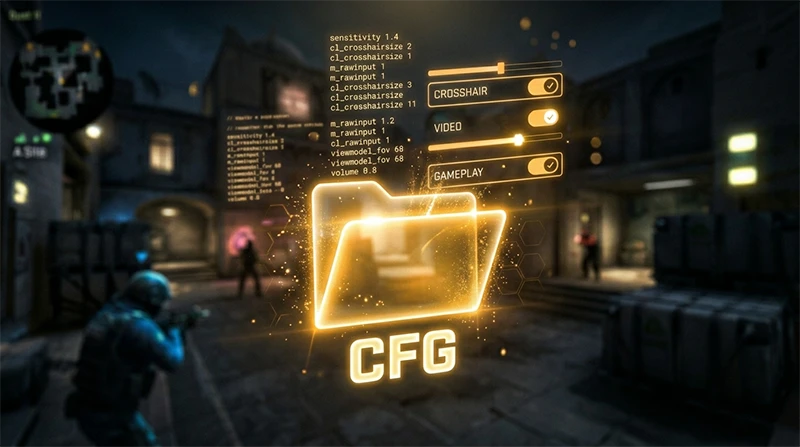
Experienced players prefer using the developer console, as it allows for much deeper visual customization. To configure a static crosshair via the console, utilize the following parameters:
cl_crosshairstyle 4
This is the universal command for the classic static crosshair used by the vast majority of players.
cl_crosshairstyle 1
An alternative static variant (legacy CS:GO/CS2 style) that presents a minimalist fixed reticle without extra tick marks.
How to activate the developer console: If your console does not open when pressing the ~ (Tilde) key, navigate to your Game Settings and toggle "Enable Developer Console (~)" to Yes.Method #3: Special workshop maps
If you are looking for a way to lock your crosshair in place while simultaneously copying the exact configuration of a professional player (like s1mple or m0NESY), utilizing a dedicated community workshop map is your best option.
- Head over to the Steam Workshop and subscribe to the map Crashz' Crosshair Generator v4.
- Launch the map inside CS2 via the Workshop maps menu.
- Simply shoot at the logo of any pro player displayed on the wall - their configuration settings (including the static style) will apply to your profile instantly.
FAQ: Frequently Asked Questions
- Will a static crosshair make me shoot better? It does not mechanically reduce weapon inaccuracy or recoil spread, but it trains your eyes to locate the center of the screen instantly. This reinforces shooting discipline, forcing you to rely on muscle memory rather than erratic expansion animations.
- How do I make my crosshair stay still during movement but expand only when firing? To achieve this "hybrid" effect, use
cl_crosshairstyle 2orcl_crosshairstyle 5. These are semi-static options that remain completely rigid while you run but react visually to weapon recoil.
Conclusion from csnn.pro
Now you know every viable method to get a static crosshair in CS2. We highly recommend using cl_crosshairstyle 4, as this specific style remains the golden standard across competitive esports.
Once your crosshair is locked in, don't forget to check out our verified ranking of case opening sites - perhaps your fresh settings will bring you luck not only in your tactical matches, but also when dropping rare weapon skins!