
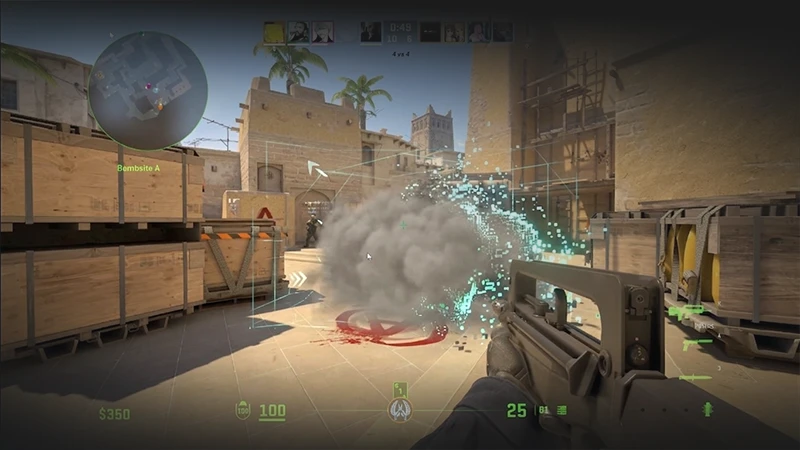
Anyone who has ever practiced grenade lineups, pre-fires, or wallbangs in Counter-Strike 2 has faced the same issue: you throw a smoke grenade to test it, and it just sits there for a full 18 seconds. Waiting for the smoke to dissipate every single time is a complete waste of precious practice time.
Thanks to the new Source 2 engine, the game now features handy built-in tools for map management. In this practical guide by csnn.pro, we will show you how to clear all smokes on the map with a single button using simple console commands and a convenient bind.
Important Warning ⚠️ All commands described below only work in a private practice mode or on your own local server with cheats enabled (sv_cheats 1). It is impossible to remove smoke in an official Competitive match, Premier mode, or on FACEIT-any attempts to bypass this restriction using third-party software will result in an instant VAC ban.Method 1: Removing Smoke via Console Command
Unlike the old CS:GO, where the r_cleardecals command was used to clean up the map (which only removed blood and bullet holes), the developers added a specific command in CS2 to interact with smokes.
- Launch a solo practice match on your chosen map and open the console (by pressing the
~tilde key). - Enable cheats with the following command:
sv_cheats 1
- Throw a smoke. To instantly clear it, type the following command into the console:
ent_fire smokedgrenade_projectile kill
As soon as you hit Enter, any mid-air or already popped smoke screen will completely vanish from the map instantly.
Method 2: Creating a Convenient Bind (Clear Smokes with One Key)
Typing a long command manually every time you practice utility lineups is highly inefficient. To automate this process, it is best to bind the action to any free key on your keyboard or mouse.
Open your console and type in the following bind (this example uses the "L" key, but you can replace it with any other key, such as "X" or "MOUSE4"):
bind "L" "ent_fire smokedgrenade_projectile kill; ent_fire smg_grenade kill"
Now, whenever you press your chosen key, all active smokes on the server will evaporate instantly. This will make your practice sessions way more productive.
How to Clear Smoke Using Other Grenades? (The Legal Way for Matchmaking)
If you need to temporarily "disperse" smoke during a live Premier matchmaking game, take advantage of the new Source 2 mechanics:
- HE Grenade: Exploding an HE grenade inside or right next to a smoke completely clears the cloud within the blast radius for a few seconds. This window is more than enough to land a precise frag on an enemy who thought they were safe.
- Shooting Through Smoke: Bullets now leave see-through holes in the smoke screen. The higher the caliber of the weapon (like the AWP or the Negev LMG), the wider the visibility "windows" in the smoke will be.
Setting up a smoke clearance bind is a fundamental step toward building the perfect practice config. Use the ent_fire command to avoid wasting time waiting around, and refine your tactics to perfection.
And while you are grinding out those perfect timings and utility lineups, don't forget to upgrade your weapon's style. Head over to our up-to-date ranking of skin trading sites, grab exclusive promo codes from csnn.pro, and buy top-tier knives, gloves, and weapon skins with discounts of up to 30%. Step onto the server fully equipped and win with style!