In Counter-Strike 2, your aiming accuracy, spray control, and reaction time depend heavily on a single peripheral - your mouse. An incorrectly configured sensitivity or an overlooked toggle in Windows can completely ruin your muscle memory, causing your crosshair to constantly overshoot or fall short of the enemy's head.
In this ultimate guide from csnn.pro, we will break down exactly how to configure your mouse for CS2, starting from Windows parameters and proprietary peripheral software all the way to advanced console commands.
Step 1: Basic Windows Configuration (Disabling Mouse Acceleration)
Before adjusting your in-game CS2 mouse settings, you need to prepare the operating system itself. The number one enemy of any competitive gamer is mouse acceleration (labeled as "Enhance pointer precision" in Windows). It forces your crosshair to move faster depending on how quickly you flick your hand, completely destroying your aim consistency.
- Open the Windows Control Panel.
- Navigate to Mouse -> click on the Pointer Options tab.
- Under the Motion section, set the pointer speed exactly to the 6th notch out of 11 (this provides a standard 1:1 raw pixel ratio without distortion).
- Uncheck the "Enhance pointer precision" box.
Step 2: Tweaking DPI and Polling Rate in Mouse Software
Open your mouse vendor's software utility (Logitech G HUB, Razer Synapse, SteelSeries GG, etc.) and apply the following esports standards:
- Polling Rate: Set strictly to 1000 Hz (or higher if your hardware natively supports it). This minimizes input lag.
- DPI (Sensor Sensitivity): The optimal choice for most pro players is 400 or 800 DPI. At these values, the mouse sensor operates at its most stable baseline without introducing artificial smoothing.
Step 3: Setting Up Your Mouse Inside CS2
The developers completely overhauled mouse input processing in CS2. The game now uses a forced, low-level Raw Input system by default. This means CS2 reads data directly from the sensor, bypassing Windows settings to deliver highly responsive tracking.
Go to Settings -> Keyboard / Mouse and set the following parameters:
- Mouse Sensitivity (Sens): The golden rule is that your true overall sensitivity, known as eDPI ($eDPI = DPI \times \text{In-Game Sensitivity}$), should ideally fall somewhere between 600 and 1200.
Example: If you play at 800 DPI, your in-game sensitivity should be adjusted between 0.75 and 1.5.
- Zoom Sensitivity Multiplier: Keep this at 1.00. This ensures a consistent spatial feel when switching between hip-firing and scoping with sniper rifles (AWP, Scout).
- Reverse Mouse (Invert): Off.
Step 4: Advanced Customization via the Console
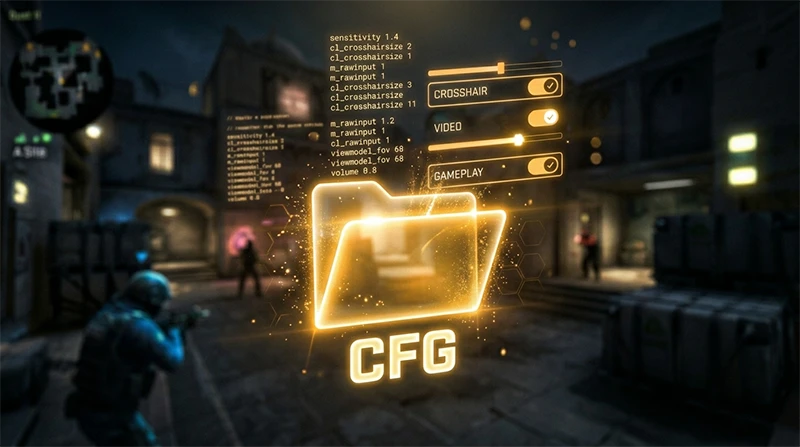
If you want to know how to fine-tune your mouse in CS2 on a deeper level, you will need to utilize the developer console. Open the console (~) and look into the following commands:
sensitivity 1.2
Sets your precise manual sensitivity (supports decimals up to the hundredths place, like 1.25).
zoom_sensitivity_ratio 1.0
Adjusts your mouse sensitivity while aimed down the sights of sniper rifles.
Technical Note: Legacy CS:GO commands such asm_rawinputorm_customaccelhave been completely removed in CS2, as the Source 2 engine natively handles direct input at the core engine level.
How to Verify That Your Mouse Settings Are Correct
Run this simple test on a practice map or during a pre-match warm-up:
- Place your crosshair directly on a single static point (e.g., a wall corner or a bot's head).
- Start counter-strafing left and right while trying to keep your crosshair locked onto that exact dot.
- If your crosshair drifts ahead in the direction of your movement, your sensitivity is too high. If it lags behind, it is too low. Gradually adjust your in-game sensitivity in increments of 0.05 until tracking feels effortless.
And while you are hitting those crisp headshots and flashy flick-shots on your newly optimized sensitivity, why not match your gameplay with a premium weapon aesthetic? Head over to our up-to-date ranking of skin trading sites, activate exclusive promo codes from csnn.pro, and pick up top-tier knives, gloves, and weapons with discounts of up to 30% or massive first-deposit bonuses. Dial in your gear, upgrade your loadout while skipping heavy Steam market fees, and go dominate Premier matchmaking!